Point the camera. Get the color in plain words.
Daltify is an offline color assistant for people with color blindness — and for the people who live and work with them. It names any color, shows others how you see, and checks palettes so they read for everyone.
● on-device · no internet · no ads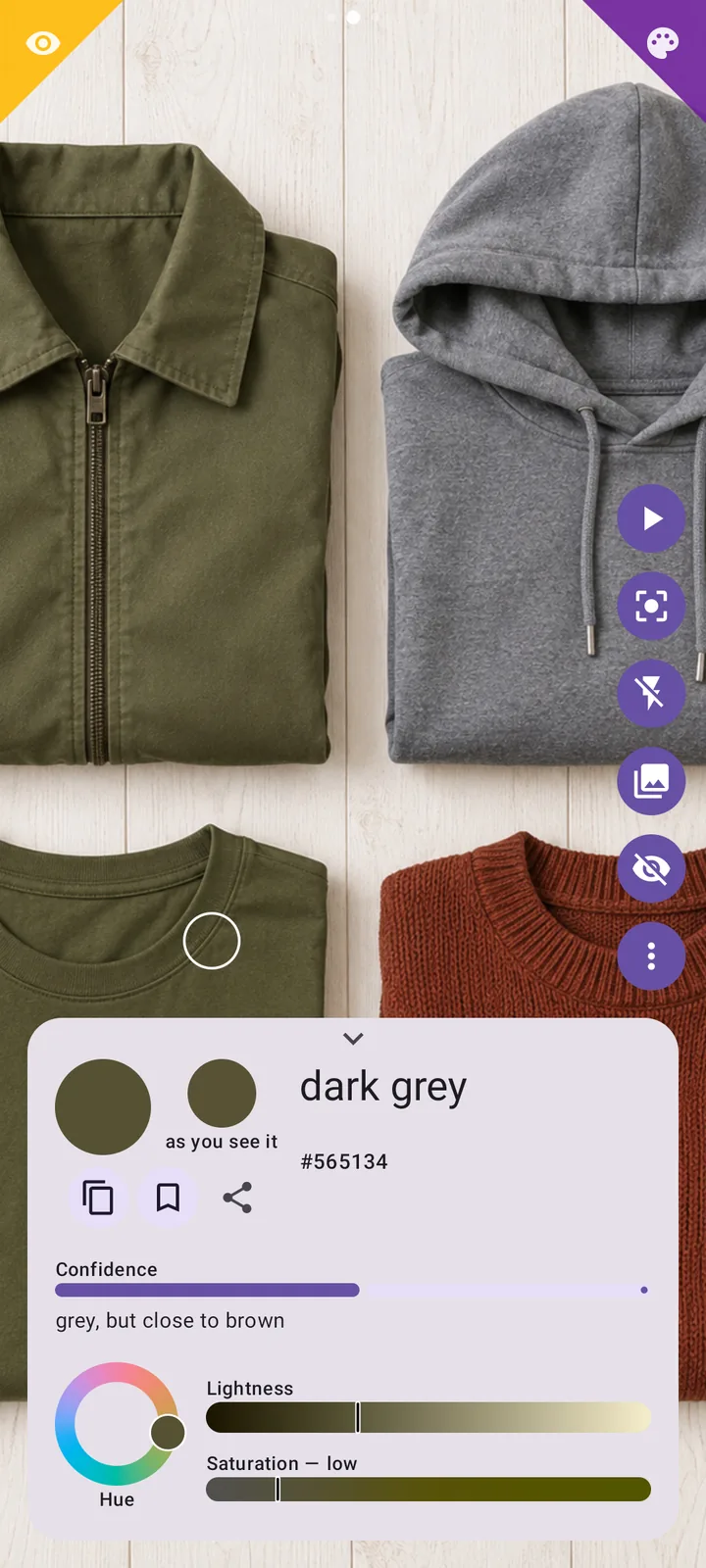
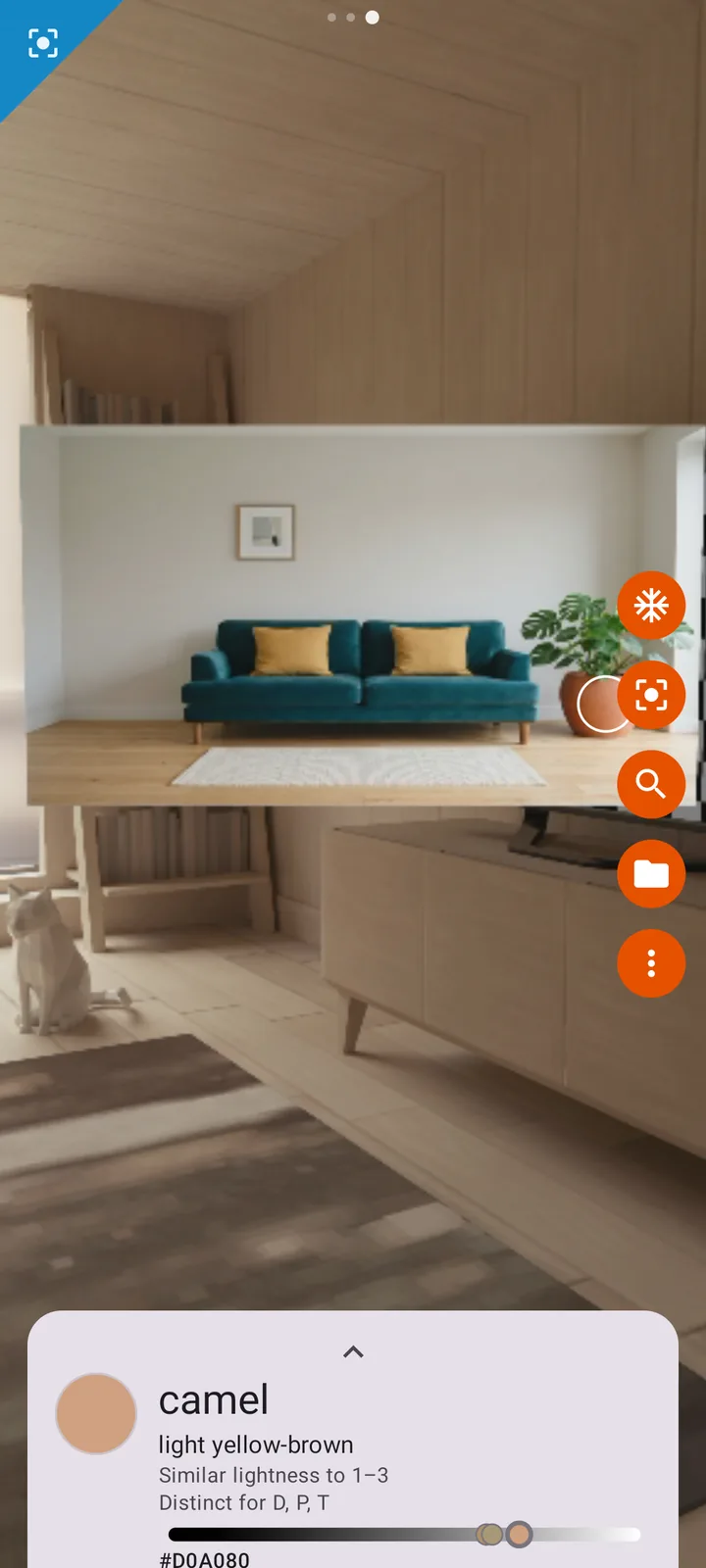
Not a hex code. A name — and what the name means.
Daltify answers in two layers: what people call this color, and a plain decoding of it. When a color sits between two names, it says so instead of pretending. Tap a swatch.
One app, three ways to deal with color
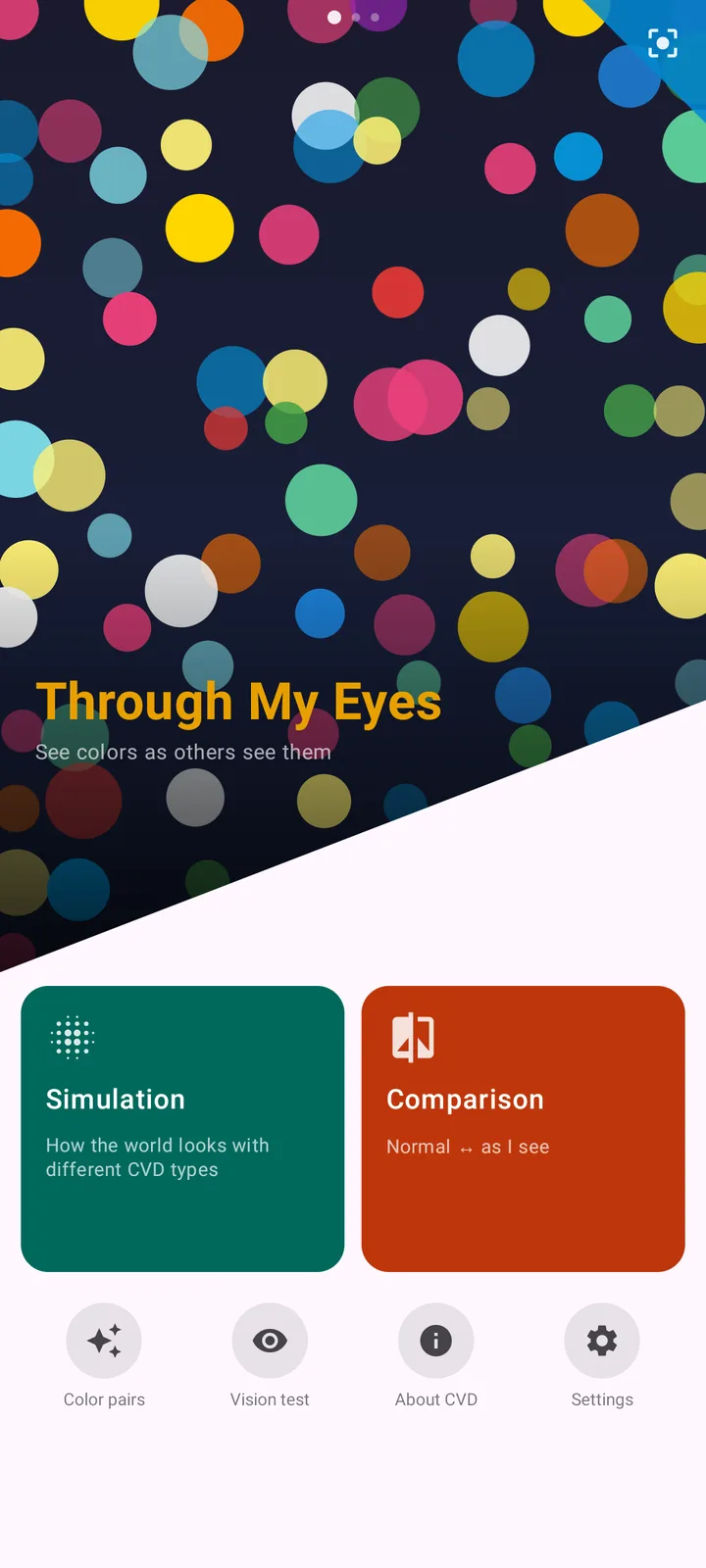
The app is three screens side by side. Tap a corner or swipe from the edge to move between them — the corners at the top of this page work the same way.
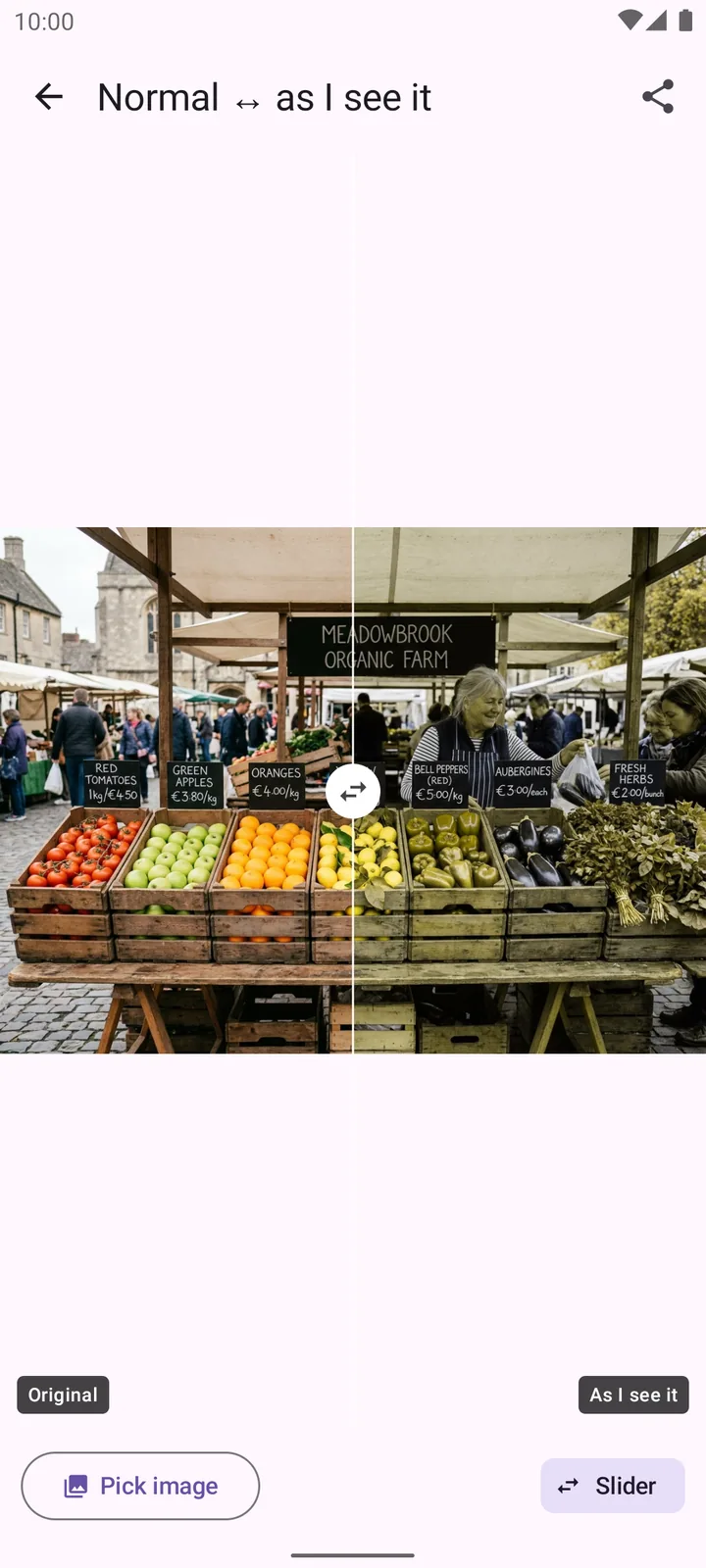
Show people how you see
A separate space for the question every colorblind person hears sooner or later: “So what do you actually see?”
- Simulation — the live camera through protan, deutan or tritan vision, at your own severity
- Comparison — normal ↔ as I see it, with a slider, ready to share as a before/after picture Premium
- Color pairs — the colors that merge for your type and severity. Computed, not a stock list
- Vision test — a hint about your type. Not a diagnosis, and the app says so
Point → name. That is the whole screen.
The app opens here. No menus between you and the answer to “what color is this?”
- Point, Region or Segmentation — a whole area of similar color is sampled, not one noisy pixel
- Name + decoding, an “as you see it” swatch and a confidence line
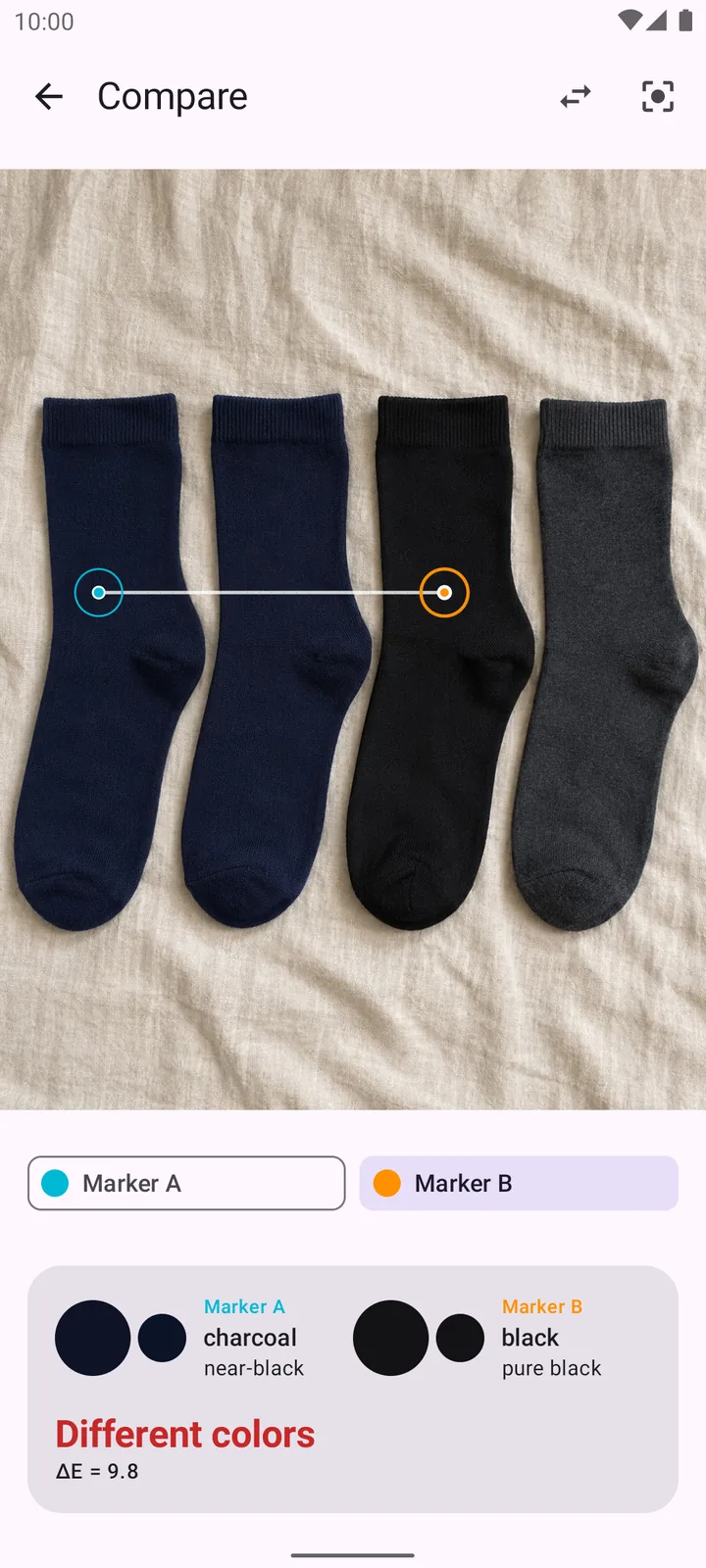
- Compare two areas: Same · Slightly different · Different colors
- Live filters: Simulate, Correct, Stripes, Isolate — and Patterns Premium
- Freeze the frame or open a photo; auto-speak reads the name aloud
Palettes that read for everyone
Daltify describes a palette and checks what can be measured. It never hands out a “harmonious ✓” — you are the designer.
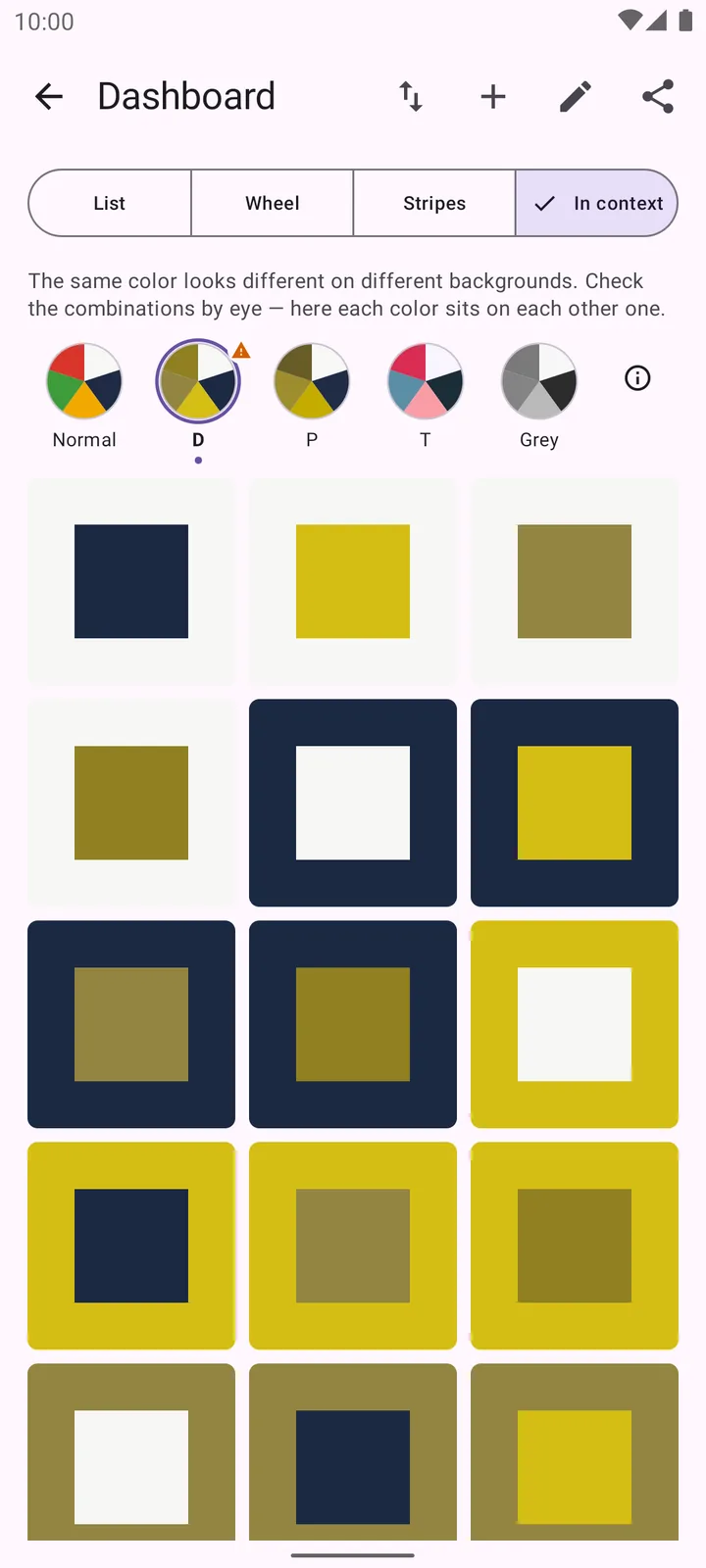
- Collect with the camera and see how each new color relates to the set: similar lightness, clear contrast, accent
- Extract a palette from a photo — with the real proportions of each color
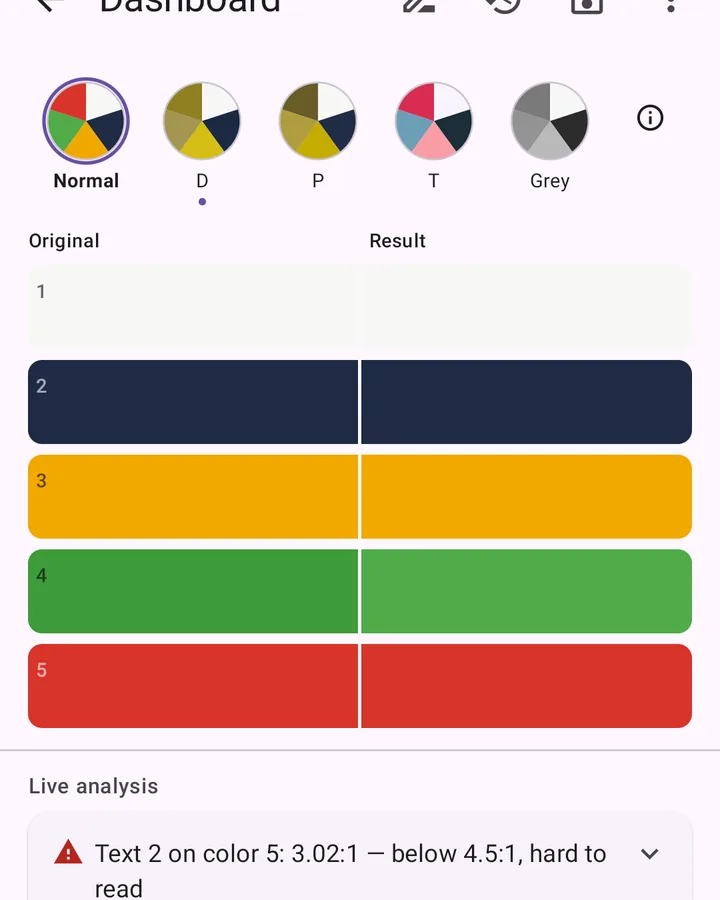
- Five lenses on every preview: Normal · D · P · T · Greyscale
- Checks: color-blind safety for all three types, text legibility (WCAG), edges between touching colors
- Auto-fix spreads risky pairs by lightness, touching accents before the dominant color
Collecting and saving palettes is free. Analysis, the generator and the editor are part of Premium.
The same picture, five ways of seeing
This is the lens switch from the app, running in your browser. A traffic light, a red-and-green chart and six pairs of colors that commonly merge.
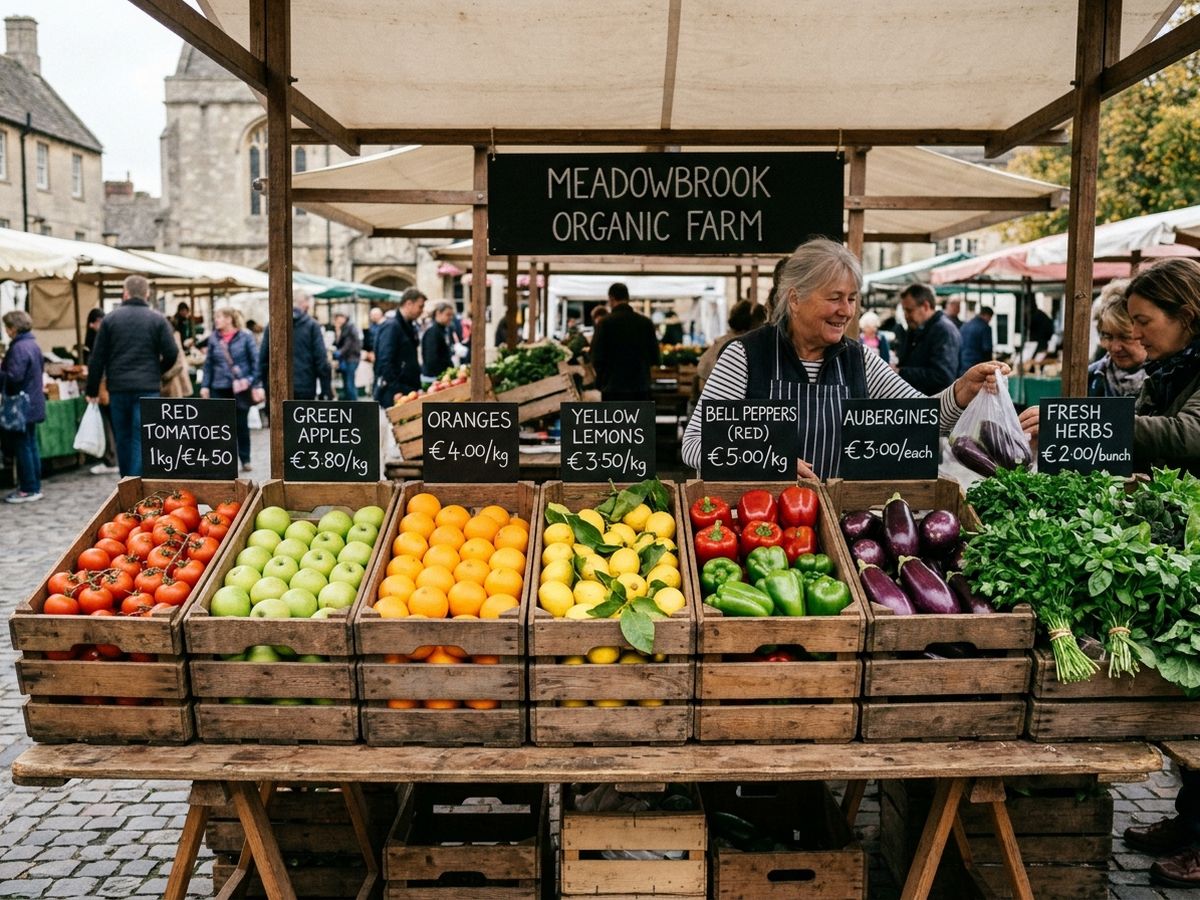
Simulation: Machado, Oliveira & Fernandes (2009), the model the app uses. The severity slider on this page is a simplified blend.
Details that came from real use
Region, not a pixel
A single pixel is noise: texture, glare, a thread of another color. Daltify grows a region of similar color around the cursor, outlines it in the frame and reports its dominant color.
Honest about light
Colored light shifts every reading. Daltify warns when the light lowers accuracy, lets you lock exposure and white balance, and offers extra lighting compensation when you need it.
Screen eyedropperPremium
Sample a color from any app — a chart, a map, a game — without leaving it. Also available as a Quick Settings tile.
Color search
Find a color by name, on the wheel or by HEX/RGB. Pick the dictionary size you like: from 13 basic names to an extended list.
Accessibility first
TalkBack everywhere, auto-speak, large fonts, reduce-motion, left-handed mode. No signal is ever carried by color alone — there is always a word, a number or a shape.
Collection and palettes
Save colors and palettes. View a palette as a list, a wheel, proportional stripes or “in context”. Export, import, share.
Free where it matters. One payment for the rest.
Everything a colorblind person needs day to day is free and stays free.
Free
- Live color naming with decoding
- All sampling modes: Point, Region, Segmentation
- Filters: Simulate, Correct, Stripes, Isolate
- Compare two colors
- Collection and palettes
- Color search
- Vision test, color pairs and the full help center
Premium
- Palette generator with color-blind-safe output
- Color Combination analysis from a photo or palette
- Palette editor with auto-fix
- Color variations
- Patterns filter
- “Normal ↔ as I see it” comparison
- Screen eyedropper
- Extended color dictionary and extra cursor styles
No ads. No subscription. Pay once and keep it.
What Premium adds
Eight tools, mostly for design work and for explaining your vision to others.
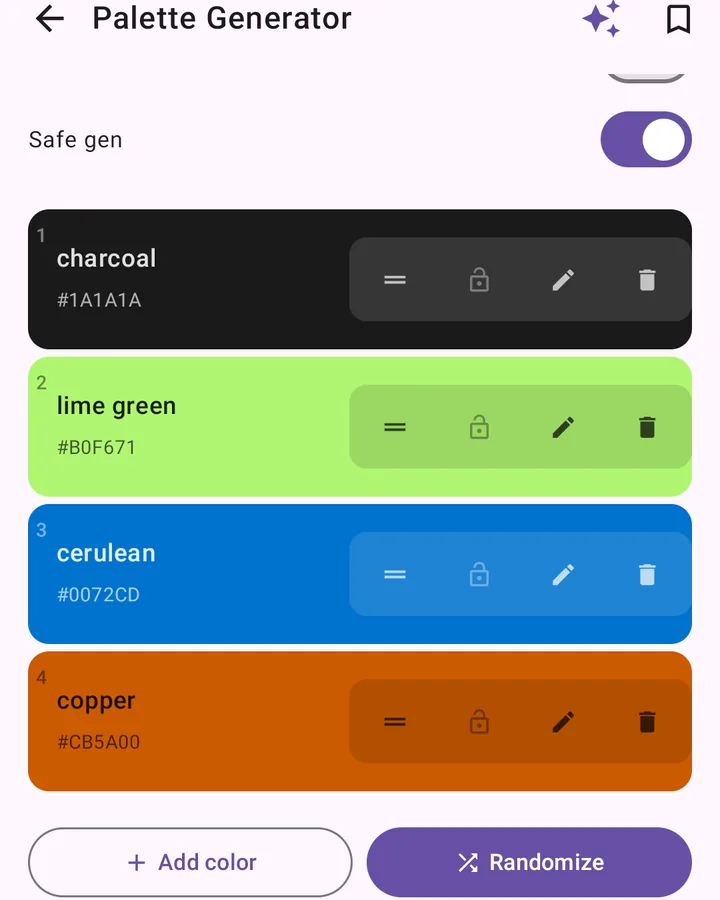
Palette generator
A palette from one seed color, for your context: clothing, interior, web or charts. Always spread by lightness.
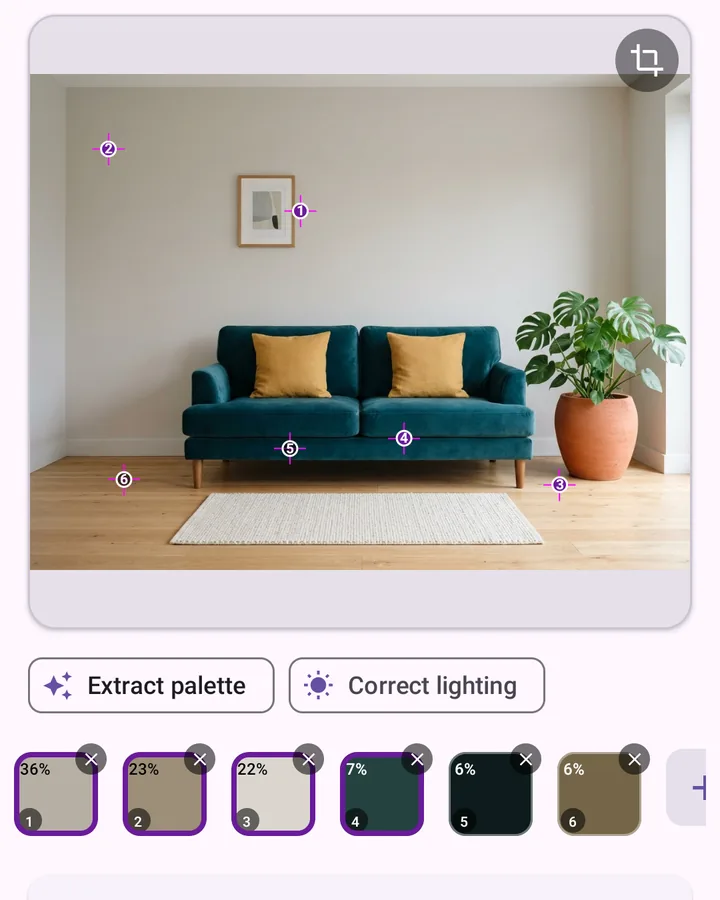
Color Combination
A palette from a photo or picked by hand, described and checked for all three types of color blindness.
Palette editor
Adjust the whole palette or one color. “Fix CVD” pulls apart the colors that merge.
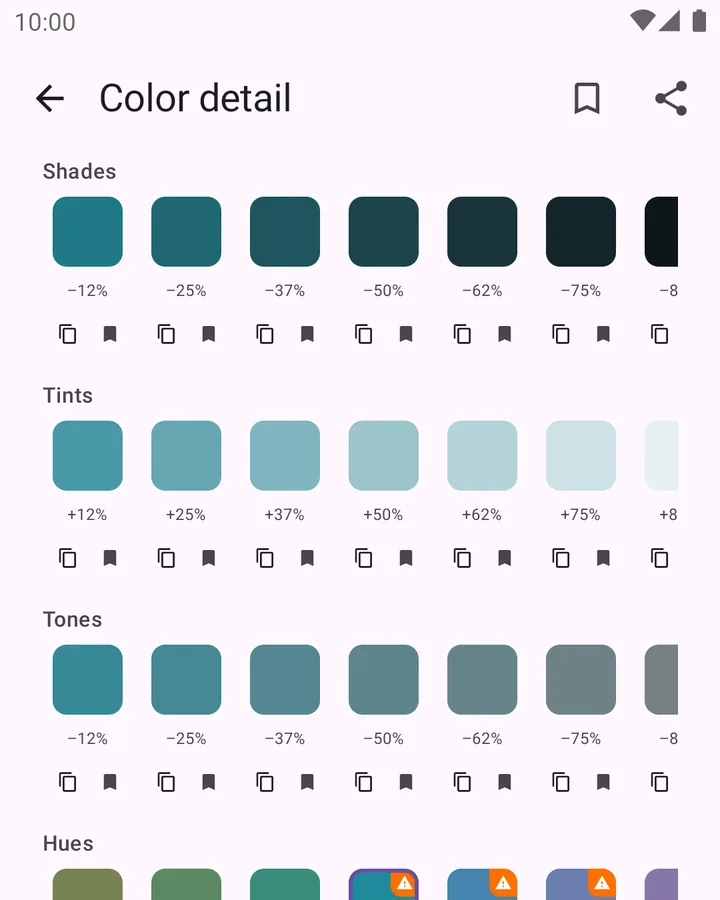
Variations
Shades, tints, tones and neighbouring hues of any color, with risky neighbours flagged.
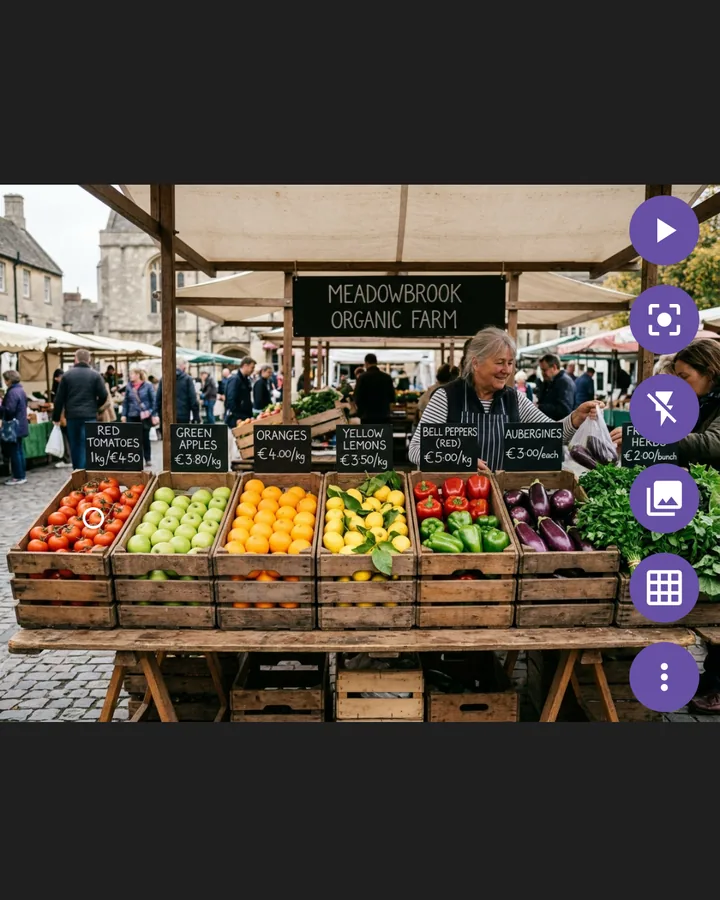
Patterns filter
Every color you confuse gets its own texture in the live view: stripes, dots, cross-hatch.
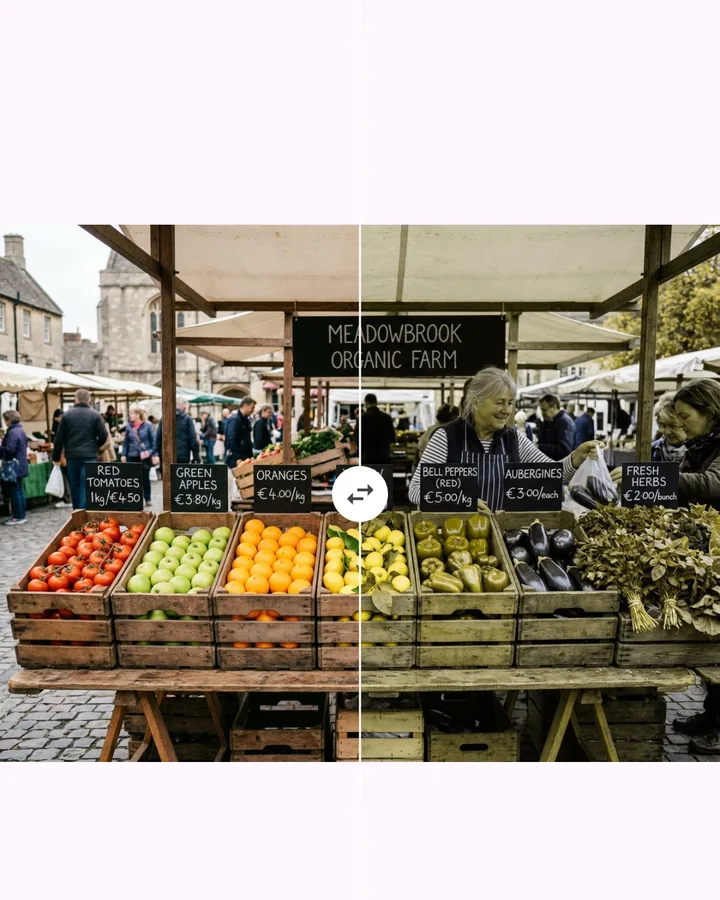
Comparison
Normal vision ↔ as I see it, split or with a slider. Share the result as one picture.
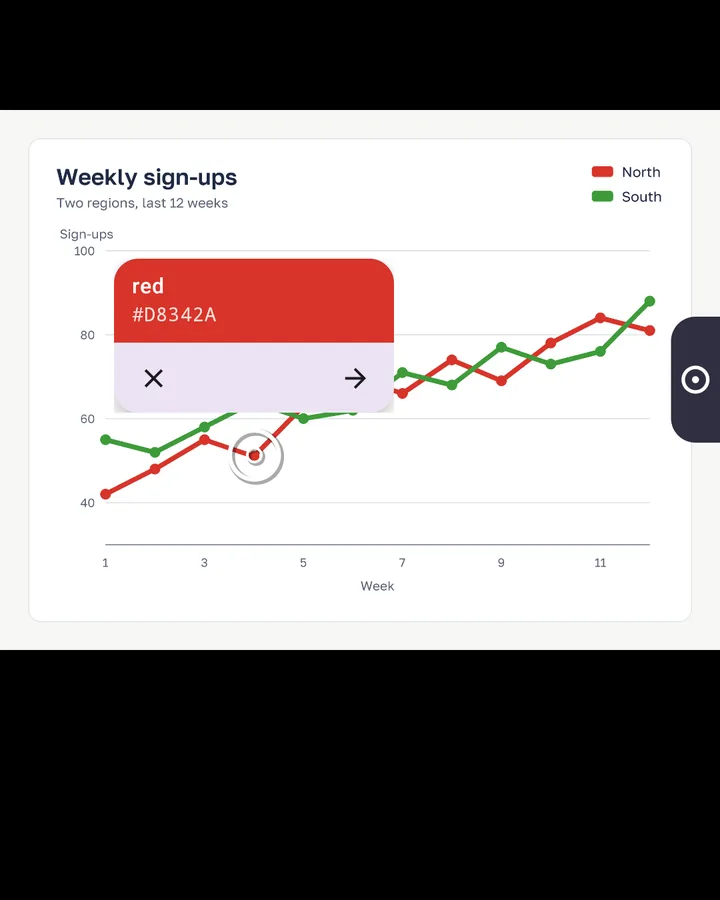
Screen eyedropper
A color from any app on your screen, without the camera.
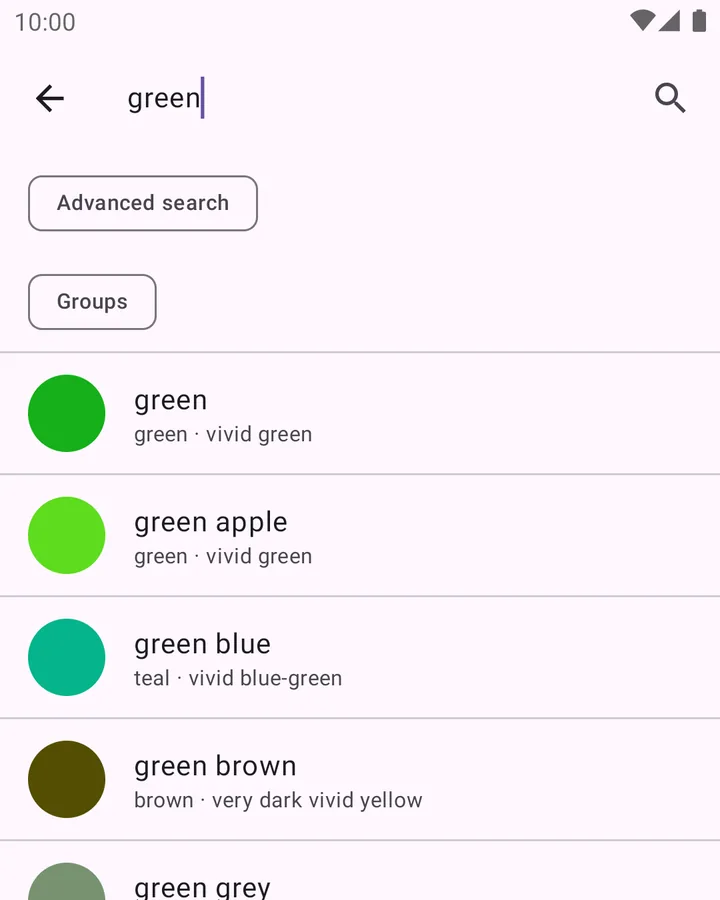
Extended dictionary
About 900 shade names instead of 85 everyday ones, plus extra cursor styles.
Not a single frame leaves your phone
All color math runs on your device. The app has no internet permission, no account and no analytics.
Short answers
Is Daltify a medical test?
No. It is an accessibility and awareness tool. The vision test gives a hint about your type; only an ophthalmologist or optometrist can give a diagnosis.
Why does the name sometimes differ from what I expected?
Millions of shades are mapped onto a finite set of names, so some compromise is inevitable. The confidence line shows when a color sits between two names. Lighting matters too: neutral light and Region mode give the steadiest results.
Does the app “fix” color blindness?
No app can. The Correct filter shifts colors so that hues you confuse become easier to tell apart on screen, and Patterns marks confusable colors with different textures.
Which languages are supported?
English and Ukrainian. A new language needs its own validated color-name dictionary, not only a translated interface — write to us if you want yours.
Will there be an iPhone version?
It is planned. Write to us and we will tell you when it is out.
Get Daltify
Free. Core features work right away — no sign-up, no ads.
Android
Android 7.0 and newer. The public release on Google Play is close — until then you can join the closed test and get the app today.
Join the test